Logs, retries and the queue
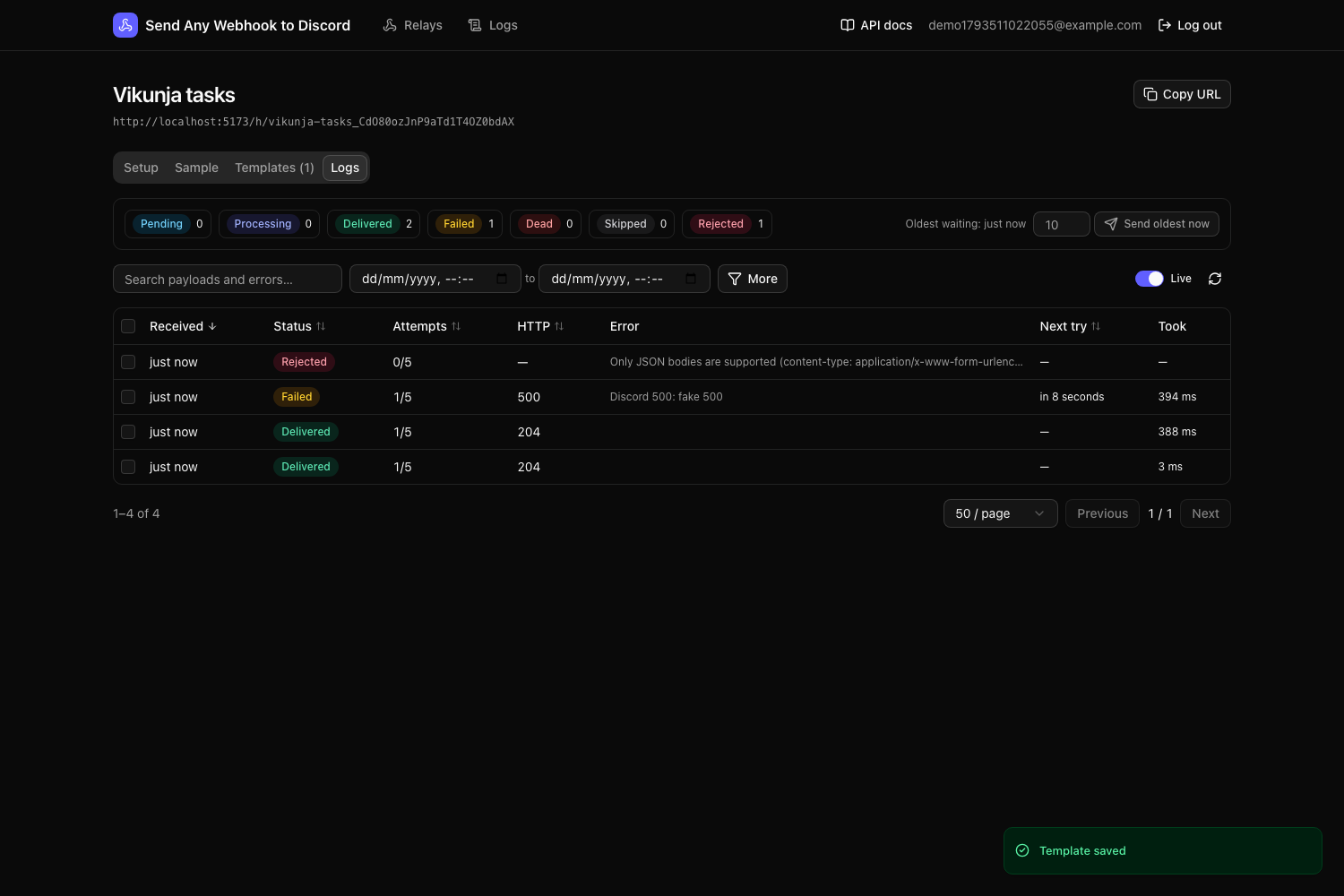
Every webhook the app receives is stored in the webhook_queue table before anything is sent. A background worker delivers from that queue, and every try is recorded. The Logs page (all relays) and each relay’s Logs tab show all of it.
- Statuses
- How delivery and retries work
- Finding webhooks
- Details of a webhook
- Manual actions
- Retention
Statuses
| Status | Meaning | What you can do |
|---|---|---|
| pending | Waiting to be sent | Send now, cancel |
| processing | Being sent right now | — |
| delivered | Discord accepted it (2xx) | Replay |
| failed | The last try failed; another is scheduled | Send now, cancel |
| dead | Gave up, or cancelled | Retry, replay |
| skipped | Not sent: no template matched, the relay has no templates, or the relay was disabled | Retry (after fixing), replay |
| rejected | Refused on arrival: not JSON, invalid JSON, empty, over 1 MB, or relay disabled | — (the body isn’t stored) |
How delivery and retries work
The worker checks the queue every second and sends up to 10 webhooks at a time. Webhooks for the same relay go in the order they arrived, spaced at least 400 ms apart to stay under Discord’s limit of about 5 messages per 2 seconds per webhook. Different relays are sent in parallel.
| Discord’s answer | Result |
|---|---|
| 2xx | delivered |
| 429 Too Many Requests | failed, retried after Discord’s retry_after. Doesn’t use up an attempt. |
| 5xx, timeout (10s) or network error | failed, retried after 10s, 1m, 5m, 30m, then every 2h; dead after the relay’s delivery attempts (default 5, set on its Setup tab) |
| 401 / 404 (webhook deleted or wrong) | dead, and the relay is disabled |
| other 4xx (e.g. 400 invalid body) | dead; retrying the same message won’t help |
| template error or empty message | dead (no request is sent) |
If the backend stops in the middle of a delivery, that webhook goes back to failed within about 5 minutes and is retried.
Finding webhooks
- Status chips at the top show counts per status; click one or more to filter.
- Search looks inside payloads and error messages (case-insensitive).
- Relay, date range, and under More: Discord HTTP status (e.g.
429), with/without errors, and payload field equals: a path likedata.task.idand a value (leave the value empty for “field exists”). - Click a column header to sort; click again to reverse.
- Filters live in the URL, so you can bookmark or share a view.
- Live refreshes every 5 seconds.
Details of a webhook
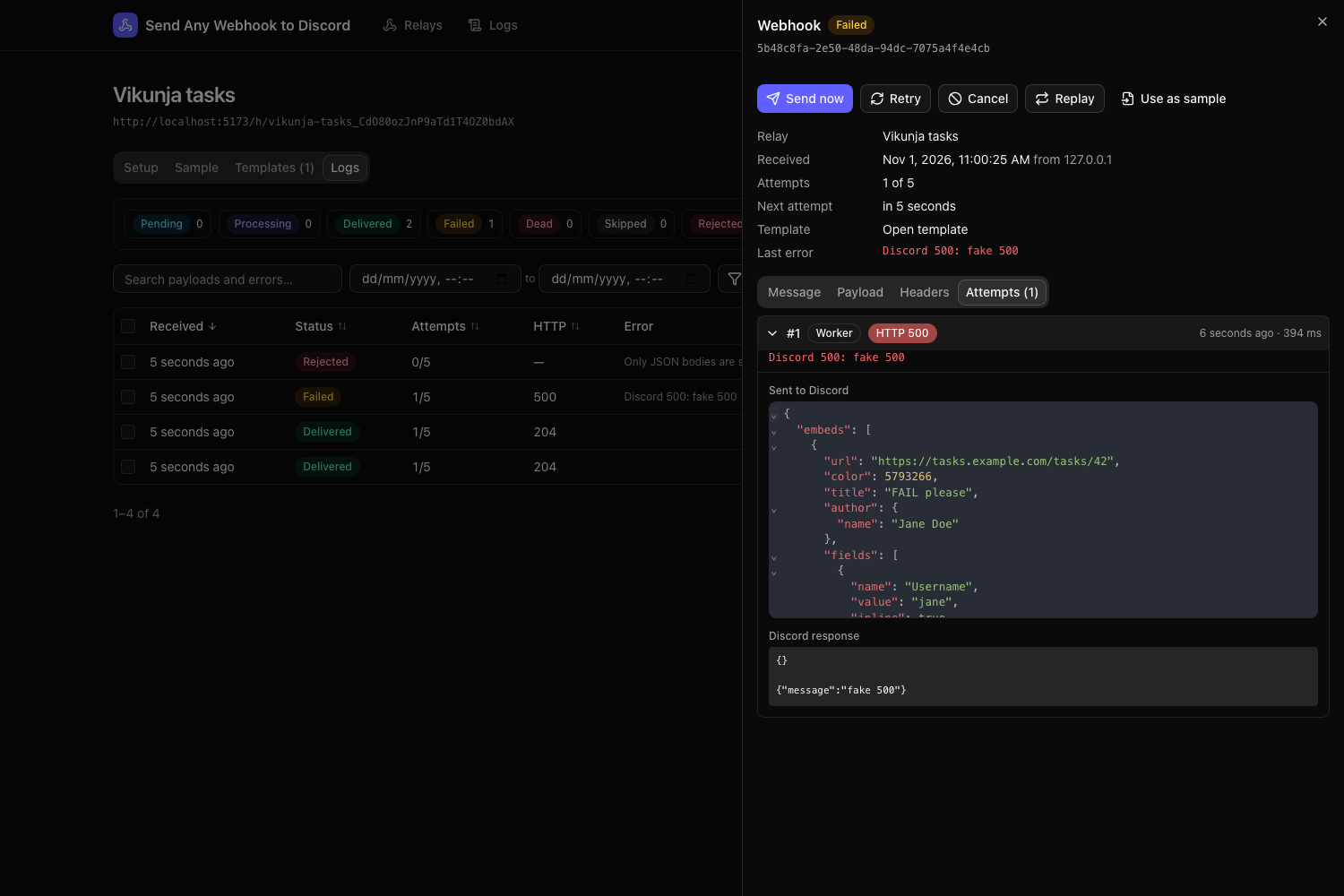
Click a row to open its details:
- Message: the Discord message as it was sent, in the Discord-style preview.
- Payload and Headers: what the service sent. Headers such as
Authorization,Cookieand anything containingtoken,secretorpasswordare stored as[redacted]. - Attempts: every try, newest first, with whether the worker, you (manual) or a replay triggered it, the HTTP status, the duration, the exact JSON sent, Discord’s response headers and body, and the error message and stack trace.
Manual actions
| Action | Works on | What happens |
|---|---|---|
| Send now | pending, failed | Sends immediately, ahead of the queue, and shows the result |
| Retry | dead, failed, skipped | Back to pending with a fresh set of attempts (the relay’s current setting), using the current template |
| Cancel | pending, failed | Stops retrying (dead, “Cancelled by user”) |
| Replay | anything with a payload | Copies the webhook into a new queue entry and sends it now |
| Use as sample | anything with a payload | Makes this payload the relay’s sample |
Select rows with the checkboxes to send now (up to 50), retry or cancel many at once.
When the queue backs up
If many webhooks are waiting (Discord was down, or a template was broken and you fixed it), the summary bar shows how old the oldest waiting one is and a Send oldest N now button that sends up to 50 right away, oldest first.
Fixed a broken template? Filter by dead, select the rows and Retry. They’re re-rendered with the new template.
Retention
A cleanup runs every hour:
- delivered and skipped webhooks are deleted after
EVENT_RETENTION_DAYS(default 14); - dead and rejected ones are kept twice as long, since those are the ones you debug.
Webhooks still waiting or retrying are never deleted.